
In December 2012, a magazine bragged online that its reporters were hiding out with a fugitive tech millionaire. They posted a photo to prove it. Within hours, a security researcher pulled the hidden data out of that image and pinned the location to a resort in Guatemala, down to the swimming pool. The fugitive, John McAfee, had been given away by his own picture.
That hidden data has a name: photo metadata. Every image you take carries a quiet packet of information about where, when, and how it was made, and most people never see it.
This guide explains exactly what photo metadata is, what it reveals about you, how to view and remove it on any device, and the simple habit that keeps it from leaking in the first place.
What Photo Metadata Actually Is
Photo metadata is data about your photo that lives inside the file but doesn’t appear in the image. Your camera writes it automatically the moment you press the shutter.
The most common type is EXIF data, short for Exchangeable Image File Format. It records the technical and situational details of the shot without anyone choosing to add them.
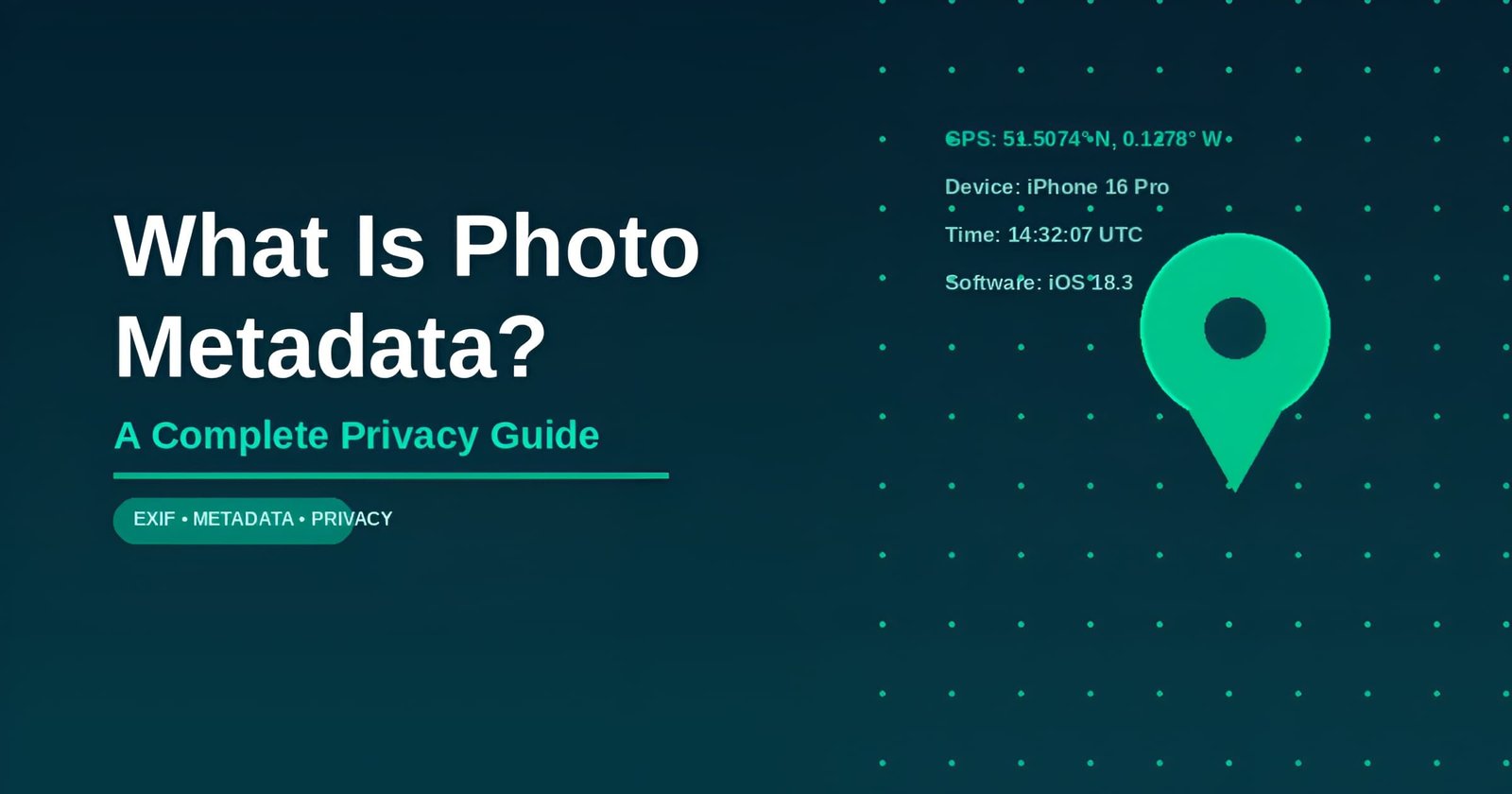
A typical phone photo stores:
- GPS coordinates of where it was taken, often accurate to within a few metres
- Date and time, down to the second
- Device make and model, such as iPhone 16 or a specific Samsung Galaxy
- Camera settings like aperture, shutter speed, and ISO
- Software used to edit or export the file
There are two other layers worth knowing. IPTC data is usually added by hand, and photographers use it for copyright and contact details. XMP is a container, often written by Adobe software, that bundles different metadata types together.
The location field is the dangerous one. It only appears when your phone’s location access for the camera is switched on, which it usually is by default. That single setting is the difference between a clean photo and one that broadcasts your address.
Phones do this for a reason. Location tags are what let your gallery group shots by place, build “Memories,” and drop pictures onto a map. The feature is genuinely useful inside your own device. The risk starts the moment the file leaves it.
Want to see it on your own phone? Open your most recent photo and pull up its details. If a small map appears, that pin marks the exact spot you were standing when you took it. Convenient for organising albums, and a liability the second you share the raw file with someone you don’t fully trust.
How to See and Remove Photo Metadata
You can’t manage what you can’t see, so start by looking. Then remove what you don’t want to share.
There’s no universal “remove metadata” button across devices, which is part of why so many people never do it. The steps differ by platform, but each takes under a minute once you know where to look. Bookmark the method for whatever device you use most, and it turns into muscle memory fast.
View the metadata first
On a phone, open the photo and tap the information icon or swipe up on the details. iPhone and Android both show a map and a timestamp if location is attached. On a computer, right-click the file and open Properties (Windows) or Get Info (Mac), or drop it into a free online EXIF viewer.
I ran an ordinary photo straight off my phone through a viewer to check. It returned my street’s GPS coordinates, the exact second of capture, and the phone model, none of which were visible in the picture itself.
If you use an online viewer, pick one that processes the file in your browser rather than uploading it somewhere. The point of checking metadata is privacy, so handing a stranger’s server your geotagged photo to “analyse” defeats the exercise.
Remove it on each device
iPhone: Open the photo, tap the info icon, choose Adjust beside the map, then No Location. To stop geotagging at the source, go to Settings, Privacy & Security, Location Services, Camera, and set it to Never.
Android: Open the image in Google Photos or your gallery, open details, and remove the location. In the camera app’s own settings, turn off location or “geo-tagging.”
Windows: Right-click the file, choose Properties, then Details. Click “Remove Properties and Personal Information” and select “Create a copy with all possible properties removed.”
Mac: Open the photo in Preview, go to Tools, Show Inspector, open the GPS tab, and click “Remove Location Info.” Power users on any system can run ExifTool with the command exiftool -all= image.jpg to wipe everything at once. The same tool can clean an entire folder in one command, which helps before uploading a large batch.
Or let a tool strip it for you
Manual removal works, but it’s easy to forget on the one photo that matters. The simpler habit is stripping photo metadata and sharing via a private link — platforms built for anonymous file sharing do this automatically on upload and can make links self-destruct after a single view, so location and device details never travel with the file at all.
Always verify
Removal isn’t done until you confirm it. Re-open the cleaned file in a viewer and check that the GPS, Author, and Software fields are actually empty. Some tools only strip part of the data, and a half-cleaned file gives a false sense of safety.
Where Photo Metadata Bites People in Real Life
The McAfee story is famous because the stakes were dramatic, but the same mechanism catches ordinary people every day.
Here’s what actually happened. The photo was shot on an iPhone 4S with location services switched on. When the magazine published it, the GPS tag was still inside the file, and a researcher reading the metadata placed McAfee at a specific resort near the Belize border. He first claimed he had faked the data, then admitted the next day that the coordinates were real. One unscrubbed photo undid weeks of careful hiding.
The 2014 celebrity photo breach showed the wider pattern. Once private images leak, the metadata attached to them can confirm locations, devices, and timelines, turning one mistake into a detailed map. It’s a big reason public figures now treat metadata scrubbing as routine rather than optional.
Selling online is the everyday version. People photograph an item for sale inside their home, post it with the location data intact, and hand strangers their address along with proof of what’s worth stealing. Dating profiles do the same thing in reverse, quietly tagging the bedroom a selfie was taken in.
The list of soft targets is longer than most people assume. A “working from home” post can map your house. A holiday photo shared in real time tells the internet your home is empty. Photos of children, tagged with the GPS of a school or a park, are exactly the data a parent would never read aloud to a stranger, yet the file says it for them.
Creators and influencers face a sharper version of the same problem. Posting from home every day, for months, slowly assembles a public record of where they live and when they’re there, even when no single photo looks risky on its own. The metadata quietly turns a content schedule into a movement log, which is the last thing anyone with a large following wants sitting in a public file.
The most privacy-aware public figures sidestep all of this by sharing very little and controlling what they do share. Alex Brooker’s wife Lynsey Brooker has kept a famously low profile despite her husband’s television career, and that restraint is itself a privacy strategy. Composer John Williams’ wife Samantha Winslow has stayed similarly out of the spotlight for decades.
The tips that actually matter
You don’t need to become a security expert to close the biggest gaps. Metadata privacy has a long tail of advanced options, but a handful of basic habits handle the realistic risks for almost everyone.
- Switch off camera geotagging once. It takes thirty seconds and removes the single most sensitive field from every future photo.
- Strip location before posting anything tied to home, work, or a child’s school. These are the leaks that turn into real-world risk.
- Match the tool to the photo. A landscape shot can go anywhere. A document scan, an ID, or a private image belongs on an expiring, metadata-free link, not in an email that keeps a permanent copy.
Even people raised around fame, like French designer Dorothée Lepère, tend to guard their images carefully, and the logic scales down perfectly to the rest of us.
Who actually reads photo metadata
This isn’t only a worry for fugitives and celebrities. A few ordinary groups check it as a matter of habit.
- Scammers and stalkers open the EXIF data on photos from marketplace listings and dating profiles to work out where a target lives.
- Data brokers scrape public images at scale, and location tags help them tie a face to an address and a routine.
- Investigators and OSINT researchers treat metadata as a first stop, because it’s reliable and most people forget to clear it.
The common thread is that none of them need special access or skill. The data is sitting in the file you handed over willingly.
Common Photo Metadata Myths
Plenty of confident advice about metadata is wrong, and the myths are what get people caught.
“Social media already removes it, so I’m safe.” Many big platforms do strip EXIF on upload, but plenty of forums, marketplaces, personal sites, and direct file transfers don’t. Relying on the platform means betting your address on a setting you can’t see.
“Screenshots are clean.” A screenshot drops the original photo’s EXIF, which is true. But it isn’t a privacy plan, because the visible content, including any address, name tag, or reflection, copies over perfectly.
“Cropping or editing removes the location.” Editing usually keeps the original GPS data and often adds the editing software’s name on top. Cropping changes the pixels, not the hidden fields.
“Only photos carry metadata.” PDFs, Office documents, and videos all store it too. A shared video can leak the same GPS and device details a photo does.
“Airplane mode means no geotag.” Your phone’s GPS chip can still fix a location without a network connection. Airplane mode stops data, not satellites, so geotagging can continue unless you disable it directly.
“My phone is new, so it handles privacy for me.” Newer phones make removal easier, but they still capture location by default. The convenience features assume you want that data saved. Turning it off is still a choice you have to make once.
“Nobody actually bothers checking metadata.” Reading EXIF takes a single click in a free viewer. The people who care, including scammers and stalkers, check routinely, precisely because they know most users never clear it.
“A private account hides my metadata.” A private account controls who can see the post, not what the file contains. Anyone you share the original image with directly, by message or download, still receives the embedded location and device data. Privacy settings and file contents are two separate things.
Photo Metadata FAQ
What is photo metadata in simple terms?
Photo metadata is hidden information saved inside an image file, separate from the picture you see. It usually includes the GPS location, the date and time, the device model, and the camera settings. EXIF is the most common format, and most phones add it automatically every time you take a shot.
Can photo metadata reveal my home address?
Yes. If location access is on, your camera tags photos with GPS coordinates accurate to a few metres. A photo taken at home effectively carries your address. Anyone who downloads the image and opens its metadata can read that location unless you removed it first.
Does removing metadata reduce photo quality?
No. Metadata sits in a separate part of the file from the image data, so stripping it leaves the visible picture untouched. The photo looks identical and may even be slightly smaller. You lose only the hidden details like location, timestamp, and device information.
Do social media platforms remove photo metadata?
Some do, some don’t. Several major networks strip EXIF data when you upload, but many websites, forums, marketplaces, and messaging apps preserve it, especially when a photo is sent at full resolution or as a file. It’s safer to remove sensitive metadata yourself before sharing.
How do I share a photo without any metadata?
Either strip the data on your device before sending, or upload through a tool that removes it automatically. ChatPic clears EXIF on upload and deletes the file after viewing, so no location or device details follow the image to its destination.
Is it illegal to remove photo metadata?
No. Removing metadata from your own photos is a normal privacy step and is completely legal for personal use. The exception is professional or legal contexts where original files must be preserved as evidence. For everyday sharing, stripping metadata is encouraged, not restricted.
Can you get a GPS location from any photo?
Only if the location was saved when the photo was taken. If camera location access was on, the GPS coordinates are usually retrievable from the file. If it was off, or the data was stripped before sharing, there’s nothing to find. Screenshots and many social uploads also drop it.
Do photos sent on WhatsApp keep their metadata?
It depends how you send them. Sent as a standard compressed photo, much of the metadata is stripped. Sent as a document or full-resolution file, the EXIF data, including location, can survive. When in doubt, remove sensitive metadata before sending rather than trusting the app to do it.
The Bottom Line on Photo Metadata
Photo metadata is the part of every picture you never see and almost never think about, right up until it tells a stranger where you are. John McAfee learned that in 2012. The good news is that protecting yourself takes minutes, not expertise.
Turn off camera geotagging today. Learn to open a photo’s details so you can spot location data before it leaves your phone. And for anything genuinely private, share it through an expiring, metadata-free link instead of posting the raw file.
If you only change one thing, make it the camera location setting. That single switch protects every photo you take from this point forward, with no effort on the day you actually share. Everything else, the viewers, the removers, the careful tool choices, is just backup for the photos you took before you knew any of this.
The hidden data only works against you while you ignore it. Once you know it’s there, it’s one of the easiest privacy risks you’ll ever fix.
