
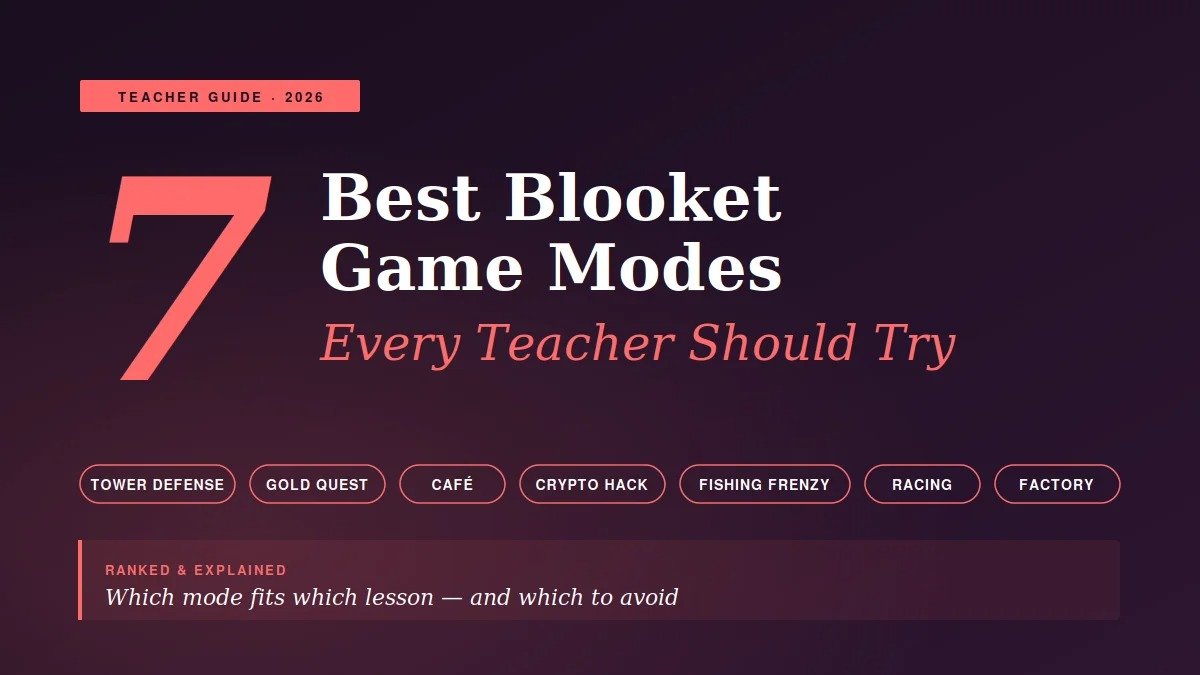
Blooket has more than fifteen game modes — and most teachers only use two of them.
That’s a mistake. After watching dozens of classroom sessions and talking to teachers who’ve made Blooket a weekly staple, one pattern stands out: the teachers who rotate modes intentionally see far stronger engagement than those who stick with the same one every Friday.
The problem is that not every mode works for every lesson. Some are too chaotic for serious content. Others are too slow for revision. A few are flat-out forgettable.
This guide breaks down the 7 best Blooket game modes every teacher should actually try — what each one is, when to use it, what students think of it, and the small tricks that make each mode hit differently. By the end, you’ll know exactly which mode to launch for your next lesson.
What Makes a Blooket Game Mode “Good” for the Classroom?
Before getting to the list, it helps to know what separates a great Blooket mode from a forgettable one.
A good classroom mode does three things at once: it keeps students answering questions consistently, it doesn’t reward sabotage so much that the quiz becomes secondary, and it produces enough drama to make students actually care about the outcome.
The modes that fail in real classrooms usually break one of those rules. Either students stop reading the questions, they spend more time attacking each other than answering, or the mode is so passive that the energy dies after five minutes.
The seven below pass all three tests — and I’ve watched each one work in real lessons across multiple age groups.
1. Tower Defense — The Best Mode for Deep Learning
If you only try one Blooket mode, make it Tower Defense.
Students answer questions to earn coins, then spend those coins building defensive towers against waves of incoming enemies. The pace is slower, the strategy layer is real, and — most importantly — students have to think between rounds instead of just reflexively clicking.
This is the mode I’ve seen produce the deepest learning. A history teacher I observed used Tower Defense for a unit review on World War II. Students who normally rushed through quizzes were re-reading their notes between rounds because they needed the coins to upgrade their towers. The competitive layer wasn’t about who answered fastest — it was about who managed their resources best.
Best for: Unit reviews, exam prep, content that needs sustained focus Worst for: Quick warm-ups, very young students who get frustrated by the strategy layer
Pro tip: Run Tower Defense for at least 20 minutes. Anything shorter and the strategy never has time to pay off.
2. Gold Quest — The Chaos Mode That Actually Works
Gold Quest is the mode students request by name. It’s also the one that divides teachers most.
Students answer questions to earn gold chests. When they open a chest, they get gold — or they get the option to steal gold from another player, swap all gold with someone else, or hand out small amounts. The result is mathematical chaos. Players in last place can win on the final question. The teacher’s lead student can be wiped out by one bad chest.
That randomness is the genius of Gold Quest. Because position resets constantly, struggling students stay engaged — they always feel like they have a chance. In traditional quiz games, the kid who’s behind by question 5 has already mentally checked out. Gold Quest fixes that.
Best for: Revision sessions, vocabulary practice, Friday rewards Worst for: New content delivery, students who genuinely hate randomness
For a deeper look at how each Blooket game modes guide compares across cognitive load and lesson type, the official walkthroughs cover all 15+ modes in detail.
3. Café — The Underrated Calm Champion
Café Mode is the most overlooked great Blooket mode. Don’t skip it.
Students run a small café, taking customer orders. Each correct answer lets them serve a customer and earn money. The vibe is calm, focused, almost meditative compared to the louder modes. There’s no sabotage, no chest randomness, no time pressure. Just steady answering and steady progress.
This is the mode I recommend for teachers who think Blooket is “too chaotic” for their classroom. A teacher in Glasgow uses Café Mode exclusively with her Year 5 maths students because the calmer pace fits her quieter classroom culture. Her students still beg for it weekly.
Café Mode also works brilliantly for younger students who get overwhelmed by faster modes. There’s no losing, no being knocked out, no being attacked. Everyone progresses at their own pace.
Best for: Younger students, calmer classrooms, introducing Blooket for the first time Worst for: Highly competitive groups who’ll find it slow
4. Crypto Hack — Best for Older Students
Crypto Hack is the most strategically interesting Blooket mode for older students.
Students earn cryptocurrency by answering questions correctly. But there’s a twist: between rounds, they can choose to “hack” another player, attempting to steal their crypto. The catch — hacks can fail, costing the attacker their own crypto. So every move has risk.
This decision layer is what makes Crypto Hack so engaging for older students. It’s not just “who answers fastest.” It’s “should I keep my lead and play safe, or attack the second-place player and risk losing it all?” Year 9 and above tend to love it because it rewards calculated risk-taking, not just speed.
Best for: Secondary school students, revision games, anything where you want students debating strategy Worst for: Primary school (concepts are too abstract), very large classes (gets confusing)
Pro tip: Allow students to chat briefly between rounds. The strategy conversations are where surprising learning conversations happen.
5. Fishing Frenzy — The Best Mode for Younger Students
Fishing Frenzy is Café Mode’s playful cousin — calmer, low-stakes, but with just enough action to keep younger students locked in.
Students answer questions to “cast” their fishing line and catch fish of varying rarities. The collection mechanic — gotta catch ’em all — is irresistible to students aged 7 to 11. The competitive layer is light enough that no one feels destroyed, but real enough that students push to answer more questions to catch more fish.
I’ve watched a Year 4 class go silent for 15 straight minutes during Fishing Frenzy. Not bored-silent — focused-silent. Every student was racing to answer the next question so they could see what they caught next. That kind of sustained focus in a 9-year-old classroom is rare.
Best for: Primary school students, classes that need a calmer pace, first-time Blooket sessions Worst for: Older students who’ll find it babyish
6. Racing — The Best Quick Energizer
Racing is Blooket’s purest “speed wins” mode, and it has its place.
Students race virtual characters along a track. Every correct answer moves them forward. Fastest correct answers win. There’s no strategy, no random sabotage, no resource management — just pure question-answering speed.
Why include it? Because some lessons need a 10-minute energizer at the start, and Racing delivers it better than anything else. It’s the mode I’d reach for as a Monday-morning wake-up activity or a pre-lunch focus session. Short, sharp, satisfying.
The risk is using it too often. Racing rewards reflex over thought, so it’s not suitable for content that requires reading or analysis. Use it for fluency practice — multiplication facts, vocabulary recall, dates, definitions — and it’s outstanding.
Best for: Fact fluency, warm-ups, short bursts of revision Worst for: Complex content, longer sessions
7. Factory — The Slow-Burn Strategy Mode
Factory Mode is for the patient teacher and the patient class.
Students answer questions to unlock and upgrade “Blooks” that produce coins automatically over time. The longer the game runs, the more the early upgrades pay off. It rewards consistent answering, smart upgrade choices, and resisting the urge to spend coins on the first thing available.
This is the mode that quietly teaches resource management without students realising they’re learning it. Plenty of teachers have used Factory in maths classes specifically because the in-game economy creates organic conversations about percentages, ratios, and compound returns.
It’s not the most exciting mode on first glance — there’s no instant chaos like Gold Quest. But students who try it twice often request it again, because the long-arc satisfaction of building a working “factory” of Blooks is genuinely rewarding.
Best for: Maths classes, longer sessions (25+ minutes), patient classroom cultures Worst for: Short revision sessions, classes with low patience for buildup
How to Pick the Right Mode for Your Lesson
The mistake most teachers make is picking a mode based on what students want, not what the lesson needs. Reverse that.
Quick framework I share with teachers I coach:
- Quick warm-up (under 10 mins): Racing
- Vocabulary or fact fluency (15-20 mins): Gold Quest or Fishing Frenzy
- Concept review with strategy (20-30 mins): Tower Defense or Crypto Hack
- Calm focused practice: Café
- Maths-heavy or long session: Factory
Match the cognitive load of the game to the cognitive load of the content. Heavy content needs slower modes; easy review can handle the chaotic ones.
This is the same principle covered in detail in how modern classroom technology is reshaping learning coverage — the most effective edtech tools succeed when teachers match the mechanic to the learning goal, not when they pick based on popularity alone.
Mistakes Teachers Make With Blooket Game Modes
Three quick warnings, based on what I’ve seen go wrong.
Mistake 1 — Always using Gold Quest. It’s the loudest mode and students request it constantly. But if you use only Gold Quest, students get desensitised to Blooket within a term. Rotate.
Mistake 2 — Using competitive modes for new content. Blooket is a practice tool, not a teaching tool. Introduce the content first, then use Blooket to reinforce. Teachers who try to use Tower Defense as the first exposure to a topic usually find students guessing rather than learning.
Mistake 3 — Ignoring the post-game report. Every mode generates a question-by-question breakdown of how the class performed. The real teaching happens when you pull this up and address the most-missed questions. The game without the debrief is entertainment, not learning.
Frequently Asked Questions
What is the best Blooket game mode for revision?
For pure revision, Gold Quest works best because the randomness keeps struggling students engaged and the fast pace lets you cover many questions in a short time. For deeper revision where students need to think between rounds, Tower Defense is stronger. Most teachers use both depending on how recent the content is.
Which Blooket mode is best for elementary or primary school?
Fishing Frenzy and Café are the two best modes for younger students aged 7 to 11. Both have calmer pacing, no sabotage mechanics, and reward steady answering rather than speed or strategy. Racing also works well as a short energizer for younger classes practising basic facts.
How long should a Blooket game last?
Most game modes work best between 12 and 25 minutes. Shorter than 10 minutes and students don’t have time to settle into the strategy layers. Longer than 30 minutes and engagement starts to drop. Tower Defense and Factory benefit from the longer end of that range; Racing and Gold Quest work fine on the shorter end.
Can I play multiple Blooket modes in one lesson?
Yes, and many teachers swear by it. A common structure is to open with Racing for five minutes as a warm-up, then run a longer Tower Defense or Crypto Hack session on the main content. Just be aware that switching modes means students need a brief explanation each time, which costs a minute or two.
Which Blooket game modes are free?
All Blooket game modes are available on the free plan. Blooket Plus adds features like advanced reporting, larger session sizes, and priority hosting, but the modes themselves are not paywalled. Any teacher can use Tower Defense, Gold Quest, Café, Crypto Hack, Fishing Frenzy, Racing, and Factory without paying anything.
What’s the difference between solo and group Blooket modes?
Some Blooket modes — like Tower Defense and Café — can be played as individual challenges where each student progresses at their own pace, ideal for homework or independent practice. Modes like Gold Quest and Crypto Hack are designed for live group play. Check the mode description before launching to confirm which type of session you’re starting.
Are new Blooket game modes still being added?
Yes. Blooket has continued to release new modes and refresh existing ones through 2026. Recent additions have included seasonal limited-time modes and updated mechanics for older fan-favourites. Following the official Blooket announcements is the easiest way to stay current with what’s available.
Final Word: Start With Two, Then Expand
If you’re new to Blooket, don’t try all seven modes at once. Start with Café (for calm, focused practice) and Gold Quest (for high-energy revision). Run each one twice. Watch how your class responds.
Once you’ve found which energy levels your students handle best, add a third mode — Tower Defense if they want depth, Racing if they want speed, Fishing Frenzy if they’re younger. Build from there.
The teachers who get the most from Blooket aren’t the ones using every feature. They’re the ones who know exactly which mode fits which moment. Get that right, and Blooket becomes the single most reliable engagement tool in your classroom toolkit.
Ready to try them? Pick the mode that fits your next lesson, build a 15-question set, and run your first session this week. You can explore every game mode, full classroom guides, and teacher resources at blooket.it.com. Your students will tell you which one to use again.
